
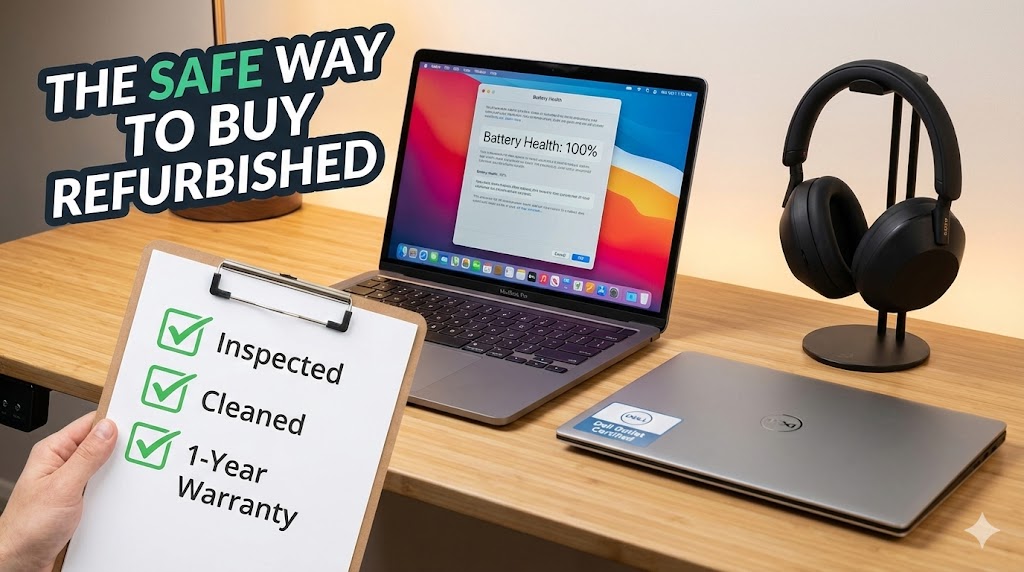
I still remember the first time I tried to save money on a “used” laptop.
I bought a MacBook from a random guy on eBay. It arrived wrapped in a dirty t-shirt, smelled like cigarettes, and the battery died after 20 minutes. I learned my lesson the hard way: There is a massive difference between “Used” and “Certified Refurbished.”
In 2026, electronics are getting ridiculously expensive. A new iPhone is over $1,000. A decent Sony camera is $2,000. Buying refurbished is the smartest way to save 20-30%, but only if you know where to look.
Here is my “safe list” of where to buy—and what to avoid like the plague.
Rule #1: “Used” ≠ “Refurbished”
Before we start, memorize this rule.
- Used: Sold by a person. Sold “as is.” If it breaks tomorrow, good luck.
- Refurbished: Inspected by a professional, broken parts replaced, cleaned, and comes with a warranty.
Never buy expensive tech without at least a 90-day warranty. Period.
1. The Gold Standard: Apple Certified Refurbished
If you are an Apple fan, this is the best-kept secret. Scroll all the way down to the bottom of the Apple website (footer), and click “Refurbished and Clearance.”
- Why it’s safe: Apple doesn’t mess around. They give you a brand new battery and a brand new outer shell.
- The Experience: I bought my current iPad Pro here. It came in a pristine white box with all the original cables. It looked, smelled, and acted brand new.
- The Savings: usually 15%. Not huge, but for Apple, that’s decent.
2. Dell Outlet & Lenovo Outlet
For Windows laptops, don’t look at Amazon first. Look at the manufacturer’s “Outlet” sites.
- Dell Outlet: They sell laptops that were returned because the box was scratched or a customer changed their mind. They come with the same standard warranty as a new PC.
- My Tip: Look for “Scratch and Dent” deals if you don’t care about a tiny cosmetic mark on the lid. You can save 40% sometimes.
3. Amazon Renewed: Hit or Miss?
I have a love-hate relationship with Amazon Renewed.
They claim products “look and work like new,” but the quality control varies wildly because the sellers are third-party companies, not Amazon itself.
- The “Premium” Tier: If you shop here, look for “Amazon Renewed Premium.” These give you a 1-year satisfaction guarantee.
- The Standard Tier: It only has a 90-day guarantee. I bought a “Renewed” Sony noise-canceling headset once, and the ear pads were clearly worn out. I returned it immediately.
- Verdict: Only buy if you have Prime and can return it easily.
4. The Checklist: What to Do When the Box Arrives
Don’t just turn it on and say “Cool.” You need to inspect it immediately while you are still within the return window.
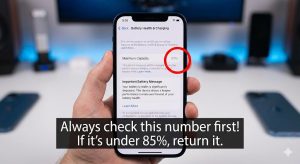
- Check Battery Health:
- Laptops/Phones: Go into Settings. If the battery health is below 85%, send it back. You paid for a working device, not one that needs a charger every hour.
- Screen Test: Open a pure white image and a pure black image (search “dead pixel test” on YouTube). Look for stuck pixels.
- Port Check: Plug something into EVERY USB port and headphone jack. Loose ports are common in refurb units.
5. The “Do Not Buy Refurbished” List ❌
Some things should always be bought new, no matter how cheap the deal is.
- Hard Drives / SSDs: Storage drives have a lifespan. You don’t want your data on a drive that has been spinning for 3 years already.
- Earbuds (AirPods/Galaxy Buds): Just… gross. Even if they say “sanitized,” you can’t really clean the mesh deep inside. Spend the extra money for a fresh pair.
Final Thoughts
Buying refurbished isn’t just about being cheap; it’s about being smart. My entire home office—my monitor, my laptop, and my standing desk—is refurbished. I saved probably $1,500 total.
Just stick to the official stores (Apple, Dell, Sony, Bose) or reputable sellers like Back Market, and you’ll be fine.
Have you ever bought a refurb lemon? Or did you score a great deal? Tell me your story below!